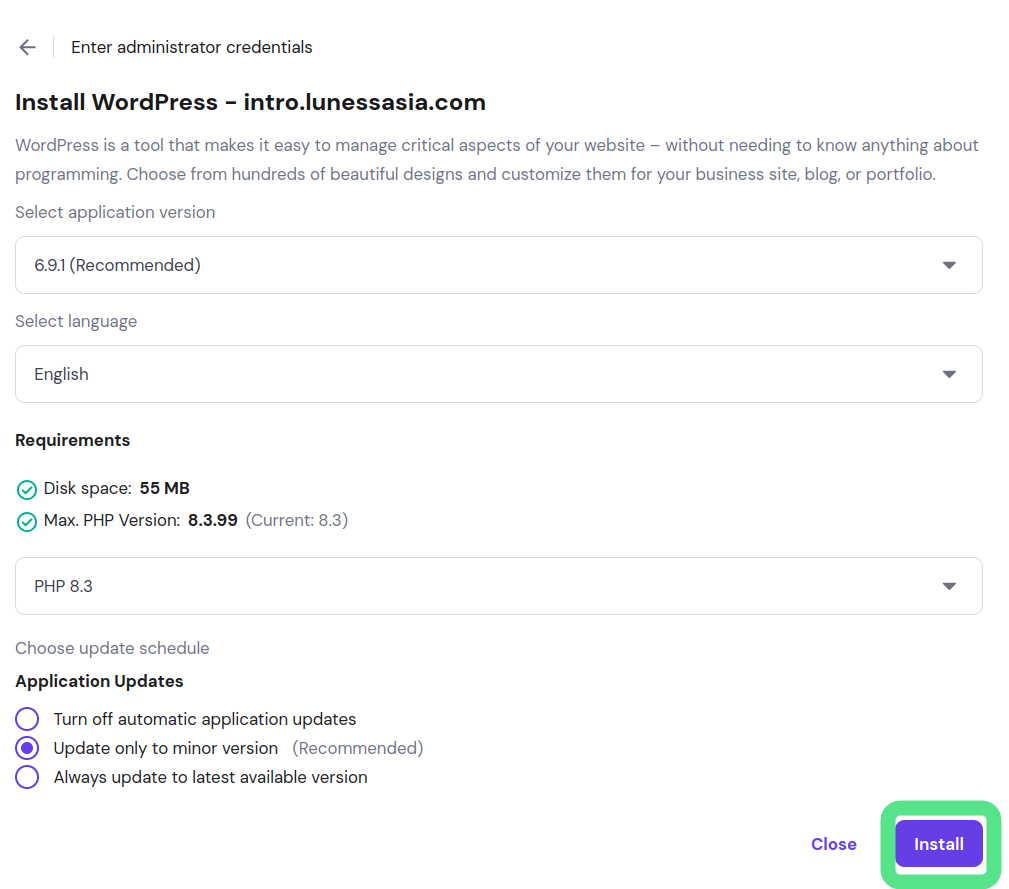
As of March 8, 2026 at the Pleasant Mountain ski lodge while wait for ski race. I took some spare time to explore on how to install a microsite for a client who is need to have a landing page (temporary) as their soft launch event website.
I found that Hostinger website instructions was either outdated or the way my client Hostinger dashboard might be slightly different from the standard dashboard.
Here are the instructions:
1) Login into “hpanel.hostinger.com”
2) Websites > Websites List , select the “Dashboard” of the subdomain.
3) WordPress Overview, click on the drop down list and select the subdomain. In this cae , it is “intro.xxxxxx.com”
4) Click on the “Install” button to install WordPress onto this subdomain.


5) Enter the subdomain admintrator username , email and password.
6) Click on the “Install” button to start the WordPress installation.